Create an Online Course for Your Business: 7 Easy Steps
Disclosure: This article contains affiliate links. If you sign up through them, we may earn a commission at no extra cost to you. Read our full disclosure.
Your customers keep asking the same questions. Your new hires need the same training every time. And you have knowledge people would gladly pay for. An online course can solve all three problems at once.
For small businesses, a course isn’t just a side project. It can become a new revenue stream, a lead magnet that attracts customers, or a training system that saves your team hours every week.
In this guide, you’ll learn how to create an online course for your business step by step, even if you’ve never made one before. In this guide, you will learn how to create an online course for your business in 7 simple steps.
Why Small Businesses Are Creating Online Courses
Before diving into the steps, it helps to know what a course can actually do for your business:
- New revenue stream: Sell your expertise to customers who want to learn what you know.
- Customer education: Teach customers how to get the most out of your product or service, which reduces support requests and refunds.
- Lead generation: Offer a free mini-course to attract potential customers and build your email list.
- Employee training: Onboard new team members with consistent training they can complete at their own pace.
- Authority building: A well-made course positions your business as an expert in your field.
Step 1: Choose the Right Course Topic
The best course topic sits where three things overlap: what you know well, what your audience struggles with, and what people are willing to pay for.
Start by asking:
- What questions do customers ask you most often?
- What problems do you solve better than your competitors?
- What do new employees always need help with?
Tip: Check your email inbox, customer support tickets, and social media comments. Repeated questions are a strong signal of course demand.
Step 2: Define Your Audience and Learning Goal
A course that tries to teach everyone usually helps no one. Be specific about who the course is for and what they will be able to do after finishing it.
A clear learning goal looks like this:
“By the end of this course, small bakery owners will be able to set up and manage online orders on their own.”
This single sentence guides every lesson you create and makes your course much easier to market.
Step 3: Outline Your Course Structure
Break your topic into modules, then break each module into short lessons. Short lessons (5 to 10 minutes) keep learners engaged and make progress feel achievable.
A simple structure:
- Introduction: What learners will achieve and how the course works
- Core modules (3 to 6): Each focused on one key skill or step
- Practical exercises: Worksheets, checklists, or small tasks
- Conclusion: A summary and the next step for learners
Step 4: Create Your Course Content
You don’t need a studio or expensive equipment to create a professional course. Most small businesses start with:
- Screen recordings for software tutorials and step-by-step demos
- Slide presentations with voice-over narration
- Simple talking-head videos recorded on a smartphone
- Downloadable resources such as PDFs, templates, and checklists
- Quizzes to check understanding and keep learners engaged
Tip: Good audio matters more than perfect video. An affordable USB microphone can make a big difference.
Step 5: Choose a Course Platform
This is where many businesses get stuck. You can upload videos to a website, but a dedicated course platform handles everything: hosting, payments, student access, progress tracking, and certificates.
When comparing platforms, look for:
- Ease of use: Can you build a course without technical skills?
- Your own branding: Can the school look like your business, not the platform?
- Payment options: Can you sell one-time courses, subscriptions, or bundles?
- Interactive features: Quizzes, assignments, and certificates
- Marketing tools: Sales pages, coupons, and email integrations
- Training features: If you plan to train employees or partners, look for user groups and reporting.
Our Pick: LearnWorlds
For small businesses that want a professional, branded course website, LearnWorlds is one of the strongest options available.
What makes LearnWorlds a good fit for small businesses:
- Built-in website builder: Create a complete branded school with sales pages, without needing a separate website.
- Interactive video: Add questions, buttons, and notes directly inside your videos to keep learners engaged.
- Flexible selling options: Sell individual courses, bundles, subscriptions, and memberships.
- Assessments and certificates: Create quizzes, assignments, and custom completion certificates.
- Built for training too: Use it to train customers, employees, or partners, not just to sell courses.
- Mobile-friendly learning: Learners can access courses on any device.
Things to consider:
- With so many features, it may take time to fully learn the platform.
- Some advanced features are only available on higher-tier plans, so compare plans based on your needs.
LearnWorlds offers a free trial, so you can build your first course before committing. Check the LearnWorlds website for current pricing and trial details.
Start your LearnWorlds free trial →
Step 6: Price Your Course
Pricing depends on the value your course delivers, not just its length. A short course that solves an expensive problem can be priced higher than a long general course.
Common pricing approaches:
- Free mini-course: Best for lead generation and building trust.
- One-time payment: Simple and popular for standalone courses.
- Subscription or membership: Ideal if you plan to add new content regularly.
- Bundles: Combine several courses at a discount to increase order value.
Tip: Look at what similar courses charge, then position yours based on how specific and practical your content is.
Step 7: Launch and Market Your Course
A great course still needs marketing. Start promoting before your course is finished:
- Tell your existing customers first: They already trust you and are your most likely buyers.
- Share it on social media: Post behind-the-scenes content and short tips from your lessons.
- Use email marketing: Announce the launch and offer an early-bird discount.
- Create a free preview lesson: Let people experience your teaching style before buying.
- Collect testimonials: Ask your first students for feedback and use it to attract more learners.
Common Mistakes to Avoid
- Making the course too long: Focus on results, not on adding more videos.
- Waiting for perfection: Launch, collect feedback, and improve over time.
- Ignoring your audience’s real problems: Build what people need, not just what you want to teach.
- Choosing a platform that limits growth: Pick a platform that supports your future plans, such as memberships or team training.
Final Thoughts
Creating an online course is one of the most practical ways for a small business to share expertise, generate new revenue, and serve customers better. Start small with one focused course, choose a reliable platform, and improve it as you learn from your students. The best time to create an online course for your business is now, so start with step one today.
If you’re ready to build your first course, try LearnWorlds for free and start creating today.
Frequently Asked Questions
FAQ: Create an Online Course for Your Business
Do I need technical skills to create an online course?
No. Modern course platforms like LearnWorlds include drag-and-drop builders, so you can create and sell courses without coding. With the right tools, you can easily create an online course for your business.
Can I use an online course to train my employees?
Yes. Many businesses use course platforms to onboard new employees, train partners, and educate customers, with progress tracking and certificates.
What type of course sells best for small businesses?
Courses that solve a specific, practical problem usually perform best, especially when they help learners save time, make money, or avoid costly mistakes.
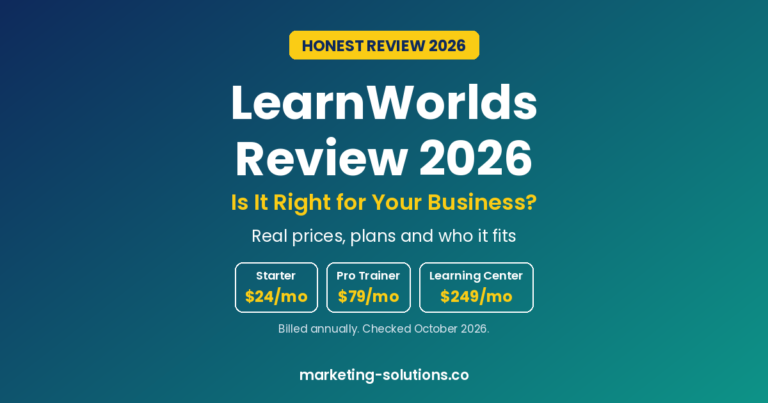
Related review: Considering LearnWorlds for your course? Read our full LearnWorlds Review 2026: Honest Pricing and Who It Fits.
Looking for more tools? See all the tools we recommend for small businesses in one place: beacons.ai/marketing_solutions
FREE 7-DAY EMAIL COURSE
Set Up Your Small Business Marketing Stack in 7 Days
One short lesson a day, one small task. Landing page, email, CRM, ads, AI and a 15-minute weekly check. Plus a free bonus guide: The AI Edge.
No spam. Unsubscribe anytime.