How to Switch from Mailchimp to Klaviyo in 7 Steps (2026)
By Marketing Solutions Team · Updated November 2026
Disclosure: Some links in this article are affiliate links. If you buy through them, we may earn a commission at no extra cost to you. This never changes our advice. We checked prices and offers on Klaviyo’s official pages in November 2026, and they can change at any time.
Moving from Mailchimp to Klaviyo is one of the most common upgrades for growing online stores. Mailchimp is easy to start with, but when you want abandoned cart emails, smart segments built from real purchase data, and SMS in the same place, many store owners feel stuck.
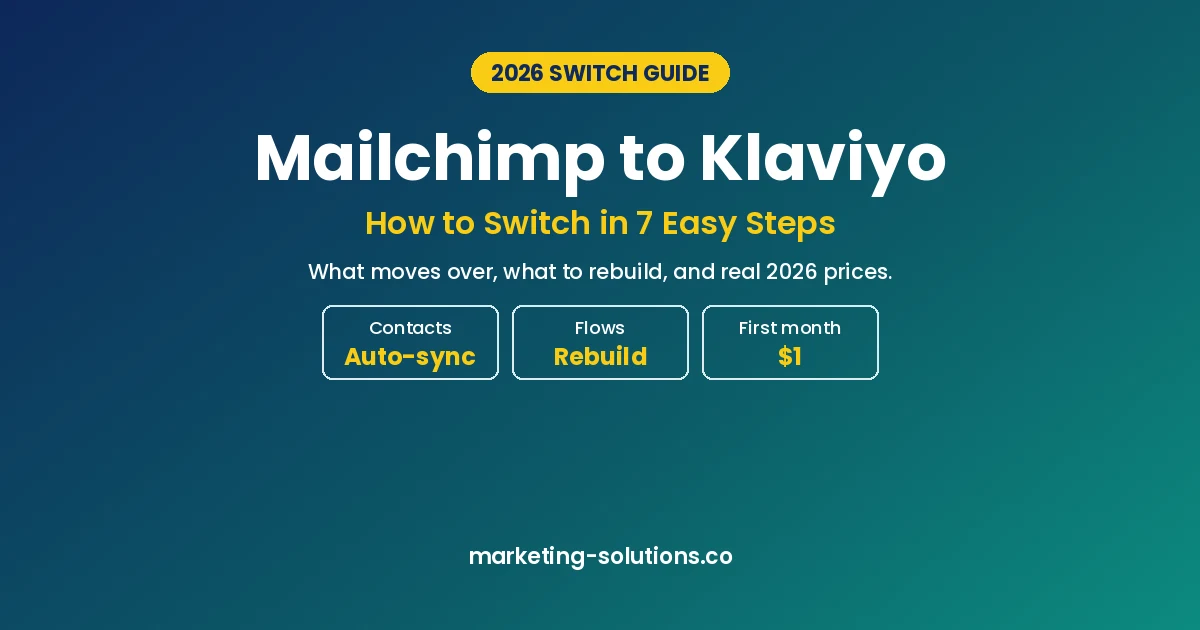
The good news: switching from Mailchimp to Klaviyo is not as scary as it sounds. Klaviyo has a built-in Mailchimp integration that copies your contacts, unsubscribes, and recent engagement for you. In this guide, we walk you through the full move in 7 simple steps, show you what transfers and what you must rebuild, and help you decide honestly whether the switch is right for your business.
Limited-time offer (ends November 30, 2026): Klaviyo is offering $19 off the first month of its Email plan (500 profiles), so your first month costs $1 instead of $20. After the first month, the plan renews at the regular price.
(Affiliate link — we may earn a commission at no extra cost to you.)
Should you switch from Mailchimp to Klaviyo?
Before you move anything, be honest about why you want to switch. Klaviyo is not the right tool for every business, and it usually costs more than Mailchimp as your list grows.
Switch to Klaviyo if:
- You run an online store and want emails based on what people browse, buy, and leave in their cart.
- You want email and SMS in one tool, with one customer profile and one set of reports.
- Your Mailchimp automations feel limited, and you want flows that branch on order value, product, or past behavior.
- You want to see revenue per email, so you know which campaigns and flows actually make money.
Stay on Mailchimp (or pick something simpler) if:
- You only send a monthly newsletter and do not sell products online.
- You run a service business such as consulting or coaching. A cheaper tool like Moosend or an all-in-one like Systeme.io may fit better.
- Budget is your top priority, and you have a large list of low-engagement contacts.
Still comparing options? Our best email marketing tools guide compares Klaviyo, Mailchimp, Omnisend, ActiveCampaign, Moosend, and Systeme.io side by side.
Mailchimp to Klaviyo: what moves over and what you rebuild
This is the part most guides skip. Based on Klaviyo’s official Mailchimp migration guide, here is what the built-in integration handles for you and what you need to do by hand:
| Item | Moves automatically? | What to do |
|---|---|---|
| Contacts and audiences | Yes | Mailchimp audiences become Klaviyo lists. |
| Unsubscribes and cleaned contacts | Yes | Review them before your first send. |
| Opens, clicks, and receives | Yes, last 90 days | Only campaigns with “Sent” status; A/B test campaigns are excluded. |
| Names, locations, ratings | Yes | Nothing to do. |
| Tags and custom fields | No | Export from Mailchimp as CSV and import as custom properties. |
| Drag-and-drop templates | No | Rebuild in Klaviyo’s editor (or use a Klaviyo template). |
| Custom-coded templates | No | Export the HTML, swap the merge tags, then import. |
| Automations | No | Rebuild them as Klaviyo flows. |
| Signup forms | No | Rebuild them in Klaviyo’s form builder. |

How to switch from Mailchimp to Klaviyo in 7 steps
Plan for one focused afternoon for the setup, then a week or two of running both tools side by side before you turn Mailchimp off. Do not cancel Mailchimp on day one.
Step 1: Clean your Mailchimp list first
Moving inactive contacts costs you money and can hurt your deliverability. Before you migrate, find subscribers who haven’t opened or clicked in a long time. Send them one last “do you still want to hear from us?” email, then leave the non-responders behind. A smaller, engaged list almost always performs better.
Step 2: Create your Klaviyo account and connect your store
Sign up for Klaviyo and connect your e-commerce platform first (for example, WooCommerce, BigCommerce, or another supported store). This is what unlocks Klaviyo’s real power: order history, product data, and cart activity flow into each customer profile.
Important: If your Mailchimp account is connected to your store, disconnect Mailchimp from the store before you connect Mailchimp to Klaviyo. Klaviyo warns that skipping this can trigger double opt-in emails to your existing subscribers.
Step 3: Sync your Mailchimp contacts with the built-in integration
- In Mailchimp, create a new API key and copy it (you can only see the full key once).
- In Klaviyo, go to Integrations, click Explore apps, search for Mailchimp, and click Install.
- Paste your API key and click Connect to Mailchimp.
- Under Advanced, choose to create Klaviyo lists from your Mailchimp audiences and to collect open and click data.
- Click Complete setup. Klaviyo imports your contacts and the last 90 days of campaign engagement.
After the first sync, existing audiences keep syncing every 30 minutes, so new Mailchimp subscribers still reach Klaviyo while you finish the move.
Step 4: Import your Mailchimp tags
Tags do not sync automatically. In Mailchimp, export your tagged contacts as a CSV, keep the email column and the tag columns you need, and upload the file to Klaviyo as custom properties. When you upload, choose Only import the consent in my file so the import does not mark everyone as subscribed by mistake. Then use those properties to build segments, like “VIP customers” or “Wholesale buyers.”
Step 5: Rebuild your templates
Mailchimp does not export drag-and-drop templates, so the easiest path is to rebuild your main layout in Klaviyo’s drag-and-drop editor. You only need two or three core designs: a newsletter, a promotion, and a simple text-style email.
If you have a custom-coded template, export the HTML from Mailchimp and swap the merge tags before you import it. The most common swaps:
| Mailchimp tag | Klaviyo tag |
|---|---|
*|FNAME|* | {{ first_name }} |
*|LNAME|* | {{ last_name }} |
*|EMAIL|* | {{ email }} |
*|UNSUB|* | {% unsubscribe %} |
*|UPDATE_PROFILE|* | {% manage_preferences %} |
Step 6: Rebuild your automations as Klaviyo flows
This is where the switch pays off. Do not copy every old automation one by one. Start with the three flows that usually bring in the most revenue for online stores:
- Welcome series: 2 to 3 emails that introduce your brand and your best products.
- Abandoned cart: a reminder within a few hours, then a follow-up the next day.
- Post-purchase: a thank-you, a how-to-use tip, and a review request.
Klaviyo includes pre-built flow templates for all three, so you can edit the copy instead of starting from a blank page. Once each Klaviyo flow is live, pause the matching Mailchimp automation so nobody gets the same email twice.
Step 7: Replace your signup forms, test, and turn off Mailchimp
Mailchimp forms cannot be pointed at Klaviyo, so rebuild them with Klaviyo’s form builder and remove the old Mailchimp embed code from your website. Then test everything with your own email address: sign up through each form, abandon a cart, and confirm the welcome series arrives.
Watch your Mailchimp audience for a few days. If new subscribers still appear there, a form somewhere still points to Mailchimp. When nothing new arrives, remove the Mailchimp integration in Klaviyo and downgrade or close your Mailchimp account.

(Affiliate link — we may earn a commission at no extra cost to you. Offer ends November 30, 2026.)
How much does Klaviyo cost after you switch?
Klaviyo prices its Email plan by active profiles, and each plan includes 10 times as many monthly email sends as profiles. These are the regular monthly prices on Klaviyo’s official pricing page:
| Active profiles | Klaviyo Email plan | Monthly email sends |
|---|---|---|
| Up to 250 | Free | 500 |
| 500 | $20/month ($1 first month with the November offer) | 5,000 |
| 1,000 | $30/month | 10,000 |
| 2,500 | $60/month | 25,000 |
| 5,000 | $100/month | 50,000 |
| 10,000 | $150/month | 100,000 |
For comparison, Mailchimp’s paid plans start at $13/month (Essentials) and $20/month (Standard) at intro prices for the first 12 months. So at a small list size, the gap is small. The real question is not price but return: if Klaviyo’s abandoned cart and post-purchase flows recover even a few orders a month, the plan usually pays for itself. If you do not sell online, that math rarely works, and a cheaper tool is the smarter choice.
Common Mailchimp to Klaviyo mistakes to avoid
- Canceling Mailchimp too early. Keep it running until your forms and flows are tested in Klaviyo.
- Running both automations at once. Pause each Mailchimp automation as soon as its Klaviyo flow goes live.
- Importing without consent. Only email people who agreed to hear from you. The FTC’s CAN-SPAM guide covers the basic rules for US businesses.
- Blasting the whole list on day one. Start by sending to your most engaged subscribers, then widen the audience over a week or two. This helps your new sending reputation.
- Forgetting old embed code. A forgotten Mailchimp form on a landing page means lost subscribers.
FAQ
How long does it take to move from Mailchimp to Klaviyo?
The contact sync is quick. Rebuilding your templates, flows, and forms usually takes a small store a focused day or two. Then run both tools side by side for a week or two before you switch Mailchimp off.
Will I lose my subscribers when I switch?
No. Klaviyo’s Mailchimp integration copies your contacts, subscription status, unsubscribes, and cleaned contacts. Review the imported data before your first send.
Can I move my Mailchimp automations to Klaviyo?
Not automatically. You rebuild them as Klaviyo flows. Most stores only need three to start: welcome, abandoned cart, and post-purchase.
Is the $1 Klaviyo offer still available?
Klaviyo’s $ 19-off-the-first-month offer (500 profiles) runs through November 30, 2026. After that, the 500-profile plan is $20 a month. Always check the final price at checkout.
Final verdict: Is switching from Mailchimp to Klaviyo worth it?
If you sell products online, moving from Mailchimp to Klaviyo is one of the best upgrades you can make to your email marketing. You keep your subscribers, you gain store-powered segments and revenue-driven flows, and with the November offer your first month costs just $1. If you run a service business or only send a newsletter, stay put or choose a simpler tool: there is no reason to pay for features you will not use.
(Affiliate link — we may earn a commission at no extra cost to you.)
Want all our tool picks in one place? Find them at beacons.ai/marketing_solutions.
FREE 7-DAY EMAIL COURSE
Set Up Your Small Business Marketing Stack in 7 Days
One short lesson a day, one small task. Landing page, email, CRM, ads, AI and a 15-minute weekly check. Plus a free bonus guide: The AI Edge.
No spam. Unsubscribe anytime.