
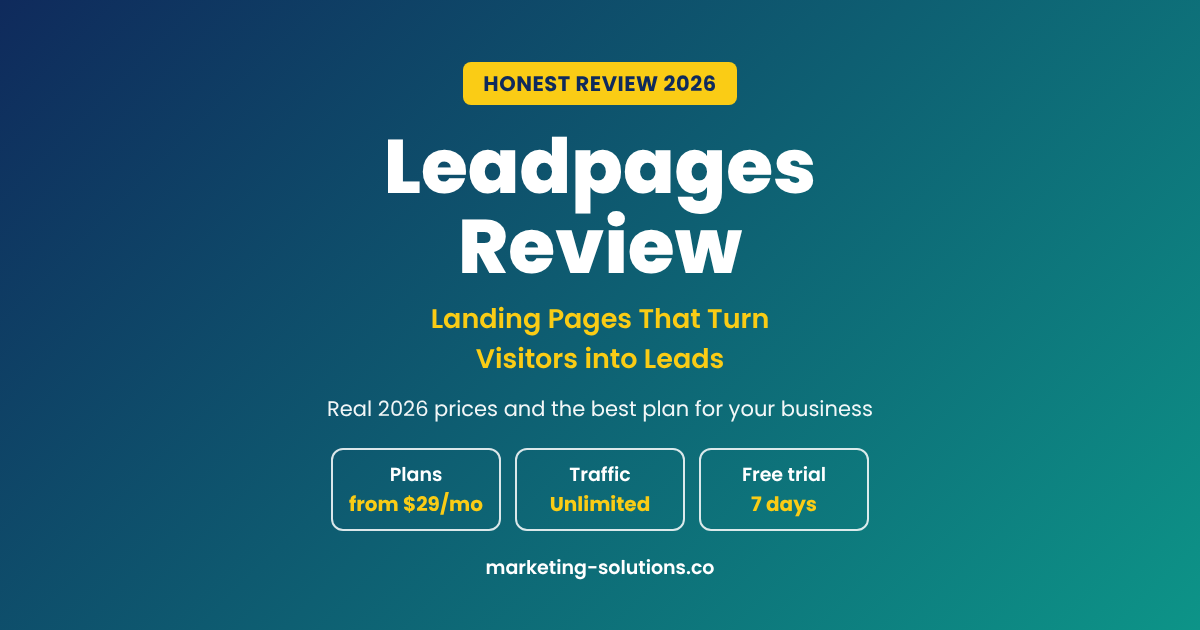
Leadpages Review 2026: Is It Worth It for Small Businesses?
Disclosure: Some links in this article are affiliate links. If you buy through them, I may earn a commission at no extra cost to you. Prices were checked on Leadpages’ official pricing page in October 2026 and can change at any time. Always confirm the current price before you buy.
Here is the short version of this Leadpages review: most small businesses do not have a lead problem. They have a page problem. Ads, social posts, and emails send people to a page that is slow, confusing, or built for no one in particular, and visitors leave.
Leadpages is one of the best-known tools for fixing that. In this Leadpages review, I explain what Leadpages does in 2026, what each plan costs, which plan fits a small or mid-sized business, and when a cheaper alternative makes more sense.
Quick verdict
- Best for: small and mid-sized businesses that run ads, offers, or events and need fast, professional landing pages without a developer.
- Price: plans start at $29 per month (Pro). The Grow and Optimize plans, built for testing and growth, cost $99 and $199 per month. Annual billing saves 20%.
- Free trial: 7 days with full access to the plan you choose. As of now, the pricing page says you need a card to start, and you aren’t charged until day 7.
- Standout features: AI page creation, unlimited traffic on all plans, A/B testing (Grow and up), and Smart Traffic plus heatmaps (Optimize).
- Skip it if: you need an all-in-one tool with email, courses, and checkout in one place, or you want a free plan.
(Affiliate link — I may earn a commission at no extra cost to you.)
What is Leadpages?
Leadpages is a landing page and website builder focused on one goal: turning visitors into leads and customers. It has been around since 2012, and Leadpages says it has served more than 400,000 businesses.
In 2026, Leadpages describes itself as an AI landing page builder and conversion rate optimization (CRO) platform. You describe your offer, the AI builds an on-brand page, and the higher plans help you test and improve that page over time.
Why landing pages matter for small businesses
- One page, one goal. A landing page removes menus and distractions, so more visitors book, buy, or sign up.
- Better ad results. When your ad and your page say the same thing, you waste less ad spend.
- Faster launches. You can publish a page for a new offer, event, or season in an afternoon, without waiting on a web developer.
- Clear numbers. You see exactly how many people visited and how many converted, so you know what is working.
Leadpages key features in 2026
AI page creation and brand kits
Describe your Business and offer. Businessdpages’ AI generates a finished page you can edit with a drag-and-drop builder. On the Business plan and higher, a brand kit stores your logo, colors, and fonts so every page looks consistent.
Unlimited traffic on every plan
Leadpages says there are no traffic caps on any plan. For a small business running paid ads, that matters: a good month will not push you into a higher price tier.
Sites, blogs, and custom domains
Leadpages is not only for single landing pages. Every plan includes at least one site, one blog, and one custom domain with SSL so that a small business can run a simple website and its campaign pages in one tool.
A/B testing and personalization (Grow and up)
On the Grow plan, you can test up to six page versions against each other and show different text to different visitors (dynamic text replacement), for example, to match the keyword someone searched.
Smart Traffic, heatmaps, and alerts (Optimize)
The Optimize plan adds Smart Traffic, which uses AI to send each visitor to the page version most likely to convert. It also adds click, scroll, and attention heatmaps, auto-personalization, and performance alerts.
Forms, integrations, and API
All plans include forms, webhooks, UTM tracking, API access, and an MCP connector for AI tools. Leadpages connects with tools such as HubSpot, Salesforce, Mailchimp, Klaviyo, Stripe, Google Sheets, and Zapier. Note the limit: 5 active integrations on most plans, and 10 on Optimize.
Leadpages pricing in 2026
All prices in this Leadpages review come from the official Leadpages pricing page (checked October 2026). Leadpages updated its plans in 2026. Here are the main monthly prices. Annual billing saves up to 20%.
| Plan | Monthly price | Pages | Sites/domains | Key extras |
|---|---|---|---|---|
| Pro | $29 | 25 | 1 | AI page creation, 1 blog, 12,000 AI credits a month |
| Business | $49 | 50 | 2 | Brand kit, lead CSV export, 12-month analytics |
| Grow | $99 | Unlimited | 4 | A/B testing, dynamic text, manual personalization |
| Optimize | $199 | Unlimited | 6 | Smart Traffic, heatmaps, 3 team seats, 10 integrations |
| Enterprise | Custom | Custom | Custom | SSO, custom contracts, dedicated support |

Leadpages’ FAQ also mentions a Scale plan at $399 per month for teams that want full auto-optimization. Leadpages sometimes runs an introductory discount on Grow and Optimize, so check the pricing page for the current offer.
Which Leadpages plan should a small business choose?
- Pro ($29): a solo owner or new Business that needs business landing pages and a simple site.
- Business ($49): a small team that wants consistent branding and needs to export leads to a CRM by CSV.
- Grow ($99): a business spending real money on ads. A/B testing usually pays for itself once you have steady traffic.
- Optimize ($199): a growing company with several campaigns and a team, where Smart Traffic and heatmaps can lift results without manual work.
(Affiliate link — I may earn a commission at no extra cost to you.)
Leadpages review: pros and cons
Pros
- Fast AI page creation and an easy drag-and-drop editor.
- Unlimited traffic on all plans.
- Strong testing tools on Grow and Optimize, including Smart Traffic and heatmaps.
- Sites, blogs, and custom domains included, so you can run a simple website, too.
- Long track record since 2012, with 4.3 stars on G2 and 4.5 on Capterra (as shown on Leadpages’ website).
Cons
- No free plan, and the trial requires a card at sign-up (as of writing).
- A/B testing is not available on Pro or Business.
- Only 5 active integrations on most plans.
- It is not an all-in-one platform: you still need a separate email tool, and Leadpages itself says it is not a checkout funnel platform.
Who should use Leadpages?
- Service businesses (clinics, agencies, contractors, consultants) that want more booked calls from ads.
- Local businesses running seasonal offers or promotions.
- Training and coaching companies that need event, webinar, and lead magnet pages.
- Marketing teams in mid-sized businesses that want to test pages and improve conversion rates.
If you mainly need email marketing, online courses, or a full sales funnel with checkout in one place, an all-in-one tool may be a better fit.
Leadpages alternatives
Systeme.io: all-in-one on a budget
Systeme.io combines funnels, landing pages, email marketing, and courses. It offers a free plan (up to 2,000 contacts and 3 sales funnels), and paid plans start at $17/month. It is a good pick if budget is tight and you want everything in one place. Read our full Systeme.io review for details. Try Systeme.io free (Affiliate link — I may earn a commission at no extra cost to you.)
Moosend: email marketing with landing pages
If email is your main channel, Moosend includes landing pages and sign-up forms with its email and automation plan, which starts at about $9 per month for 500 contacts. Try Moosend free for 30 days (Affiliate link — I may earn a commission at no extra cost to you.)
Choose Leadpages over these when landing page quality and testing are the priority, especially if you run paid ads.
How to get started with Leadpages
- Start the 7-day free trial and pick the plan that matches your stage (Grow if you run ads).
- Use the AI builder to create your first page from a short description of your offer.
- Add your logo and colors, and connect your email tool or CRM.
- Connect your custom domain and publish.
- Send traffic for a week, then test a new headline or offer (Grow and up).
Leadpages FAQ
Is Leadpages worth it in 2026?
For small and mid-sized businesses that rely on ads or campaigns, yes. The Grow and Optimize plans offer unlimited traffic, AI page creation, and strong testing tools, making it a solid choice. If you only need one or two simple pages, a cheaper all-in-one tool may be enough.
How much does Leadpages cost?
Plans start at $29 per month (Pro), followed by Business at $49, Business9, and Optimize at $199. Annual billing saves 20%. Prices were checked in October 2026.
Does Leadpages have a free plan?
No. Leadpages offers a 7-day free trial with full access to the plan you choose. At the time of writing, you need a card to start, but you won’t be charged until day 7, and you can cancel before then.
Can I build a full website with Leadpages?
Yes. Every plan includes at least one site, one blog, and one custom domain with SSL. Leadpages works best for small websites and campaign pages, not large, complex sites.
Does Leadpages limit traffic or leads?
Leadpages says there are no traffic caps on any plan. Limits apply to pages, sites, AI credits, and some advanced features.
Leadpages review: final verdict
The bottom line of this Leadpages review: Leadpages is a focused, proven tool for one job that matters to every small Business: turning visitors into leads. Start on Pro or Business if you need a few clean pages, and move to Grow when you are ready to test and improve your results. The 7-day trial is enough time to build and publish your first page.
(Affiliate link — I may earn a commission at no extra cost to you.)
Questions about which landing page tool fits your Business? Email us at Businessmarketing-solutions.co.
Looking for more tools? See all the tools we recommend for small businesses in one place: beacons.ai/marketing_solutions
FREE 7-DAY EMAIL COURSE
Set Up Your Small Business Marketing Stack in 7 Days
One short lesson a day, one small task. Landing page, email, CRM, ads, AI and a 15-minute weekly check. Plus a free bonus guide: The AI Edge.
No spam. Unsubscribe anytime.

One Comment