
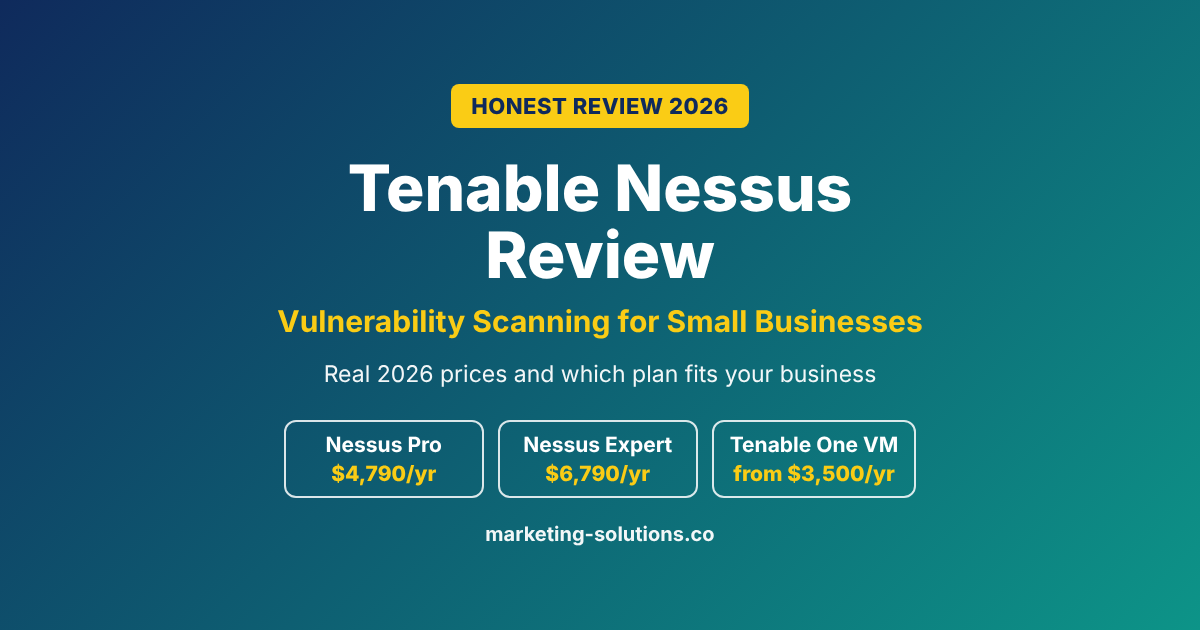
Tenable Nessus Review 2026: Prices, Plans, and Who It Fits
Disclosure: Some links in this article are affiliate links. If you buy through them, I may earn a commission at no extra cost to you. Prices were checked on Tenable’s official buy page on October 20, 2026, and can change at any time or vary by region and tax.
Most attacks on small businesses do not start with a genius hacker. They start with something boring: a server that missed an update, a router with a default password, or an old plugin on the website. A vulnerability scanner finds those weak spots before someone else does.
Tenable Nessus is one of the best-known vulnerability scanners in the world. In this Tenable Nessus review, I explain what it does, what each plan costs in 2026, and which option makes sense for a small or mid-sized business.
Quick verdict
- Best for: businesses with at least one IT person (in-house or outsourced) who wants to find and fix security holes on a schedule.
- Best plan for most SMBs: Nessus Professional if one person runs the scans; Tenable One Vulnerability Management if you want a cloud dashboard that tracks around 100 devices over time.
- Price: Nessus Professional is $4,790 per year. Tenable One Vulnerability Management starts at about $3,500 to $3,700 per year for 100 assets.
- Skip it if: nobody on your team (or your IT provider) has time to read reports and apply fixes. A scanner only shows problems; someone still has to fix them.
(Affiliate link — I may earn a commission at no extra cost to you.)
What is Tenable Nessus?
Nessus is a vulnerability scanner made by Tenable. You point it at your computers, servers, network devices, and other systems. It checks them against a huge library of known security problems and gives you a report that ranks what to fix first.
Tenable also sells a cloud platform called Tenable One Vulnerability Management. It is built on Nessus technology, but it adds continuous asset discovery, dashboards, and workflow tools, so you can track your security over time instead of running one scan at a time.
Why small businesses need vulnerability scanning
- You cannot fix what you cannot see. Most small businesses do not have a full list of their devices, let alone which ones are missing patches.
- Customers and partners ask. Larger clients, cyber insurance forms, and security questionnaires often ask whether you scan for vulnerabilities.
- Compliance rules expect it. Standards such as PCI DSS (for businesses that handle card payments) require regular vulnerability scans. Nessus also includes compliance audit checks, such as CIS benchmarks.
- It is cheaper than a breach. Finding an open hole yourself costs a scan and a fix. Having someone else find it can cost far more.
Tenable Nessus pricing in 2026
For this Tenable Nessus review, here are the prices listed on Tenable’s official buy page in US dollars on October 20, 2026:
| Plan | Price | Best for |
|---|---|---|
| Nessus Essentials | Free | Students and home use only. Up to 5 IPs, non-commercial use only, so it is not for businesses. |
| Nessus Professional | $4,790 for 1 year ($9,330.95 for 2 years, $13,637.54 for 3 years) | An IT admin or consultant who runs scans on the business network |
| Nessus Expert | $6,790 for 1 year ($13,208.13 for 2 years, $19,304.19 for 3 years) | Businesses that also want to scan web apps and find internet-facing assets |
| Tenable One Vulnerability Management | About $3,500 to $3,700 for 1 year for 100 assets ($6,825 for 2 years, $9,975 for 3 years) | Teams that want a cloud dashboard, continuous discovery, and tracking over time |
Notes on pricing in this Tenable Nessus review:
- For Tenable One Vulnerability Management, the buy page showed $3,700 for one year in the main price box and $3,500 in the checkout window. Check the final price at checkout.
- Tenable One Vulnerability Management is priced per asset (a device, a web app, or a cloud resource), not per IP address. You can buy up to 250 assets online. Larger quantities go through Tenable sales.
- Optional add-ons for Nessus: Advanced Support (24/7 phone, email, and chat) for $400, and on-demand Nessus Fundamentals training for $275.
- Multi-year plans cost a little less per year than renewing every year.
Which Tenable plan fits your business?
| Your situation | Best fit |
|---|---|
| You have one IT person or an outside consultant who scans the network and reads the reports | Nessus Professional |
| You also run customer-facing web apps or are not sure what you have on the internet | Nessus Expert |
| You have around 100 devices, laptops, and cloud resources and want to track risk over time with dashboards | Tenable One Vulnerability Management |
| You only want to learn how scanning works at home | Nessus Essentials (free, non-commercial) |
A simple rule from this Tenable Nessus review: Nessus Professional is a tool for a person. Tenable One Vulnerability Management is a system for a team. If one admin runs scans and sends fixes, Nessus Pro is enough. If several people need to see progress, assign fixes, and report to management, the cloud platform fits better.
Key features of Nessus Professional
- Unlimited assessments: Tenable advertises unlimited vulnerability scanning for one yearly price.
- Huge coverage: Tenable says Nessus covers more than 336,000 CVEs (publicly known security flaws), with real-time updates.
- Ready-made templates: more than 450 pre-configured scan templates, plus configuration and compliance audits such as CIS benchmarks.
- Smart prioritization: results are scored with Tenable’s Vulnerability Priority Rating (VPR), plus CVSS and EPSS, so you fix the most dangerous issues first.
- Clear reports: customizable, exportable reports, grouped views of similar issues, and the option to snooze issues you have accepted.
- Live Results: when new checks are released, Nessus can assess your past scan data offline, so you see new risks without a full rescan.
- Runs almost anywhere: Nessus is portable and runs on many platforms, even a Raspberry Pi.
Nessus Expert includes everything in Nessus Professional and adds web app scanning and external attack surface discovery, which helps you find websites and systems you may have forgotten are online.
Key features of Tenable One Vulnerability Management
- Always-on asset discovery: finds known and unknown assets, including cloud systems and remote workers’ devices.
- Risk-based priorities: uses VPR and Tenable’s threat research to show the issues most likely to be attacked.
- Team workflow: two-way ticketing and progress tracking, so fixes get assigned and closed.
- Managed in the cloud: no server to maintain, with a 99.95% uptime SLA.
- Fair asset counting: devices that change IP address are not counted twice, and licenses are reclaimed from assets that are no longer scanned.
(Affiliate link — I may earn a commission at no extra cost to you.)
How to start vulnerability scanning in your business
- List what you own. Write down your offices, networks, servers, cloud accounts, and websites. This tells you what to scan and roughly how many assets you have.
- Get written permission. Only scan systems your business owns or has permission to test. If an IT provider manages your network, agree on the plan with them first.
- Start with a free trial. Tenable offers free trials. Note that the Nessus Professional trial limits some features, such as scan scheduling and compliance checks, so treat it as a test drive.
- Run a basic network scan. Use a ready-made template and scan a small part of your network first, outside busy hours.
- Fix the critical items first. Sort by priority score. Most early wins are simple: install updates, remove old software, and change default passwords.
- Scan on a schedule. New flaws are found every week. Scan at least monthly, and rescan after every big change.
Tenable Nessus review: pros and cons
Pros
- Trusted, widely used name in vulnerability scanning
- Very large library of checks with frequent updates
- Clear priority scores, so you know what to fix first
- Prices are public and you can buy online
- Clear path to grow from one scanner to a full cloud platform
Cons
- Not cheap for very small businesses
- Needs someone with basic IT skills to run scans and apply fixes
- The free Essentials version cannot be used for business
- The Nessus Pro trial leaves out some features, such as scheduling and compliance checks
Tenable Nessus review FAQ
Is there a free version of Nessus for businesses?
No. Nessus Essentials is free, but Tenable says it is strictly for non-commercial use and scans up to 5 IPs. Businesses need a paid plan such as Nessus Professional. You can start with a free trial first.
How much does Nessus Professional cost?
On October 20, 2026, Tenable listed Nessus Professional at $4,790 for one year, $9,330.95 for two years, and $13,637.54 for three years.
What is the difference between Nessus Professional and Nessus Expert?
Nessus Expert includes all of Nessus Professional plus web app scanning and external attack surface discovery. It costs $6,790 for one year.
Should I choose Nessus Professional or Tenable One Vulnerability Management?
Choose Nessus Professional if one person runs scans and handles fixes. Choose Tenable One Vulnerability Management if you want a cloud dashboard, continuous discovery, and team workflows, priced by the number of assets.
Can Nessus fix the vulnerabilities for me?
Nessus finds and ranks problems and tells you how to fix them. Your IT team or provider still applies the updates and changes. Tenable One Vulnerability Management adds tools to track and manage that remediation work.
Is this Tenable Nessus review based on current pricing?
Yes. All prices in this Tenable Nessus review were checked on Tenable’s official buy page on October 20, 2026. Always confirm the latest pricing on Tenable’s website before you buy.
Tenable Nessus review: final verdict
To sum up this Tenable Nessus review: Tenable Nessus is a serious, trusted tool for finding security weak spots before attackers do. For most small and mid-sized businesses with an IT person or provider, Nessus Professional is the simplest place to start. If you want ongoing visibility across about 100 devices and cloud systems, with dashboards your team can share, look at Tenable One Vulnerability Management. Either way, start with a free trial and scan a small part of your network first.
(Affiliate link — I may earn a commission at no extra cost to you.)
Also building your website, funnels, or email list? Read our Systeme.io review.
Questions after reading this Tenable Nessus review, or about which security tool fits your business? Email us at info@marketing-solutions.co.
Looking for more tools? See all the tools we recommend for small businesses in one place: beacons.ai/marketing_solutions
FREE 7-DAY EMAIL COURSE
Set Up Your Small Business Marketing Stack in 7 Days
One short lesson a day, one small task. Landing page, email, CRM, ads, AI and a 15-minute weekly check. Plus a free bonus guide: The AI Edge.
No spam. Unsubscribe anytime.




One Comment